
Managing Items and Empowered Tools with Botania's End-Based Corporea System
This guide explores the Corporea system for item management and other powerful tools within Botania.
Corporea System Basics
Corporea taps the End and the void to fetch items from one place to another the moment they are asked for, with nothing built in between the two points. At its core, this system uses  Corporea Sparks, which are variants of standard Sparks designed for item transport instead of Mana.
Corporea Sparks are placed over inventories, such as a  Chest or
  Dispenser, rather than Mana containers. There are two types: the standard Corporea Spark and the
  Master Corporea Spark. Each Corporea network requires one Master Corporea Spark. Any spark within a network can communicate with any other.
Placing a Corporea Spark, or right-clicking one that is already there, makes every spark in range re-link with its neighbours and draws them into the web, provided a Master Corporea Spark belongs to it. While an individual spark's connection range is about eight blocks, the entire network can span virtually infinite distances.
A Corporea Spark can access the inventory directly beneath it, but only from its top side. Every spark on a network reads what all the others are holding. Blocks that know how to ask draw items out through the spark sitting on them. The master is the one exception: it runs the network, and the inventory beneath it stays out of reach. Corporea Sparks cannot push items into their inventories; items must be added using methods like  Hoppers.
Like regular Sparks, Corporea Sparks can be dyed. The small star icon above the spark indicates its color. Sparks of different colors will not interact, allowing for multiple independent networks in the same area. Visualizing a network and removing a spark from a container are done the same way as with ordinary Sparks. It is important to avoid having two Master Corporea Sparks in the same network, as this can lead to undefined behavior.
Corporea Index
The Corporea Index is a block shaped like an Ender Crystal, and it is the comfortable way in: name what you want and it pulls it off the network. It interfaces with the network its Corporea Spark is connected to.
Approaching an Index activates it, displaying its radius of effect. When active, the Index intercepts chat messages from nearby players, processing them as requests and preventing them from broadcasting to chat. Name something — "iron ingot", for instance — and the Index goes looking for one  Iron Ingot, dropping it in front of you if the network has one.
Put a number in front and a number comes back: "10 apples" fetches as many as ten  Apples. The word "this" refers to the item currently held by the user. Finish a query with "...", "~", "+" or "?" and it matches anything whose name contains what you typed, so "iron..." reaches every item with iron in the name. A "*" stands in for any run of characters wherever you drop it: "Nethe*ck" would catch
  Netherrack, a
  Nether Brick, or something a player has renamed "Netheck". Requesting "*iron*" is the same as "iron...", and "*" could return anything.
The Index understands simple plurals (ending in "-s", "-es", or "-ies") but accepts the singular form when requesting multiple items (e.g., "10 apple" works). "10 of this" requests 10 items matching the held item. Quantifiers on plurals are supported, such as "a stack of apples", "2 stacks of apples", "2 stacks and 20 apples", "half a stack of apples", or "a dozen apples". The Index handles various request phrasings; "2x stacks and 2x of apples", "2 stack 2 apple", and "2 stacks + 2 apples" are all processed identically. The words "all" or "every" request every matching item in the network; "all apples" retrieves every Apple and every item renamed "apple". The words "count", "show", "display", and "tell" will only count items for the requester without retrieving them.
Corporea Funnel
The 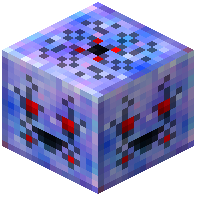 Corporea Funnel offers a simpler way to interact with a Corporea network. When activated by a redstone signal, it requests an item from the network connected to the Corporea Spark above it. Whatever comes back goes into a container sitting one or two blocks underneath, and where there is no container it simply drops into the world above the Funnel.
To specify the item to request, place it in an  Item Frame on the Corporea Funnel block. If multiple Item Frames are present, the Funnel randomly selects one. Turning the item inside the frame sets the size of the order. Leave it upright for a single item; each further turn steps it through 2, 4, 8, 16, 32, 48 and 64.
As with a  Hopperhock, hanging a filled container item in a
  Glow Item Frame offers several candidates at once. How much of each sits inside decides how likely that one is to be chosen. None of this touches the count: that still comes from how the container is rotated in its frame.
Red Stringed Blocks
Red Stringed blocks link to other blocks within an eight-block range. Each Red Stringed block has a specific binding criterion. Holding a  Wand of the Forest reveals these connections. Blocks standing in the way make no difference to a link, though one Red Stringed block will not bind to another to extend its reach. These blocks can face in all six directions and will bind to the nearest compatible block they are facing.
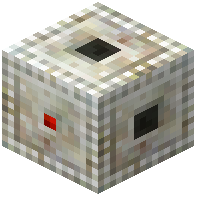 Red Stringed Container: Binds to inventories like Chests,
 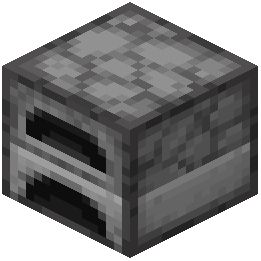 Furnaces, or Hoppers. Items inserted into the Red Stringed Container (e.g., from Hoppers) are transferred to its bound block, preserving sidedness.
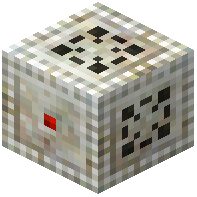 Red Stringed Dispenser: Binds to Dispensers or
 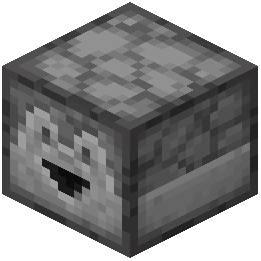 Droppers, transferring items similarly to the Red Stringed Container. Additionally, a redstone signal to the Red Stringed Dispenser will activate its bound Dispenser or Dropper.
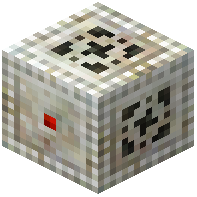 Red Stringed Nutrifier: Binds to any block that accepts
  Bone Meal. Using Bone Meal on the Nutrifier will fertilize its bound block instead.
Flügel Tiara
The  Flügel Tiara, crafted from
  Gaia Spirits, uses Mana to grant its wearer the power of flight, reminiscent of the ancient Flügel. This flight is not indefinite; continuous use for about thirty seconds will cause it to "overload" and temporarily lose its flight capability. A "flight bar" on the HUD monitors usage.
Beyond simple flight, the Tiara allows for dashing and gliding. Dashing, performed by pressing the sprint key without already sprinting, provides a rapid forward boost. There is a two-second gap between one dash and the next, and an active  Stone of Temperance disables them outright. Gliding, activated by sneaking while falling, provides a gentle descent over a horizontal distance and prevents fall damage. Gliding is possible even with an empty flight bar, but it slows the bar's regeneration.
Combining the Flügel Tiara with different types of Quartz alters the appearance of its wings. Recipes for various Quartz types are found under Decorative Blocks, and  Elven Quartz can be acquired from Elves in exchange for
  Nether Quartz.
Hand of Ender
The  Hand of Ender reaches into the pocket of Ender subspace that follows you across dimensions — in practice, the contents of your
  Ender Chest. Right-clicking with the Hand of Ender opens this inventory from any location, consuming Mana. Using the Hand on another player will open their Ender Chest inventory, requiring substantially more Mana. Carrying it also opens that same Ender Chest to the
  Rod of the Shifting Crust, at a small Mana charge for every block placed.
Covers the mod’s in-game guide topics: Basics of Corporea botania.entry.corporeaIndex botania.entry.corporeaFunnel botania.entry.redString botania.entry.flightTiara botania.entry.enderHand