
Botany Pots: Compact Automated Farming
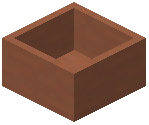 Botany Pot is a block that grows crops in a single tile, replanting itself after every harvest. Instead of tilling a field, you place one pot, add soil, add a seed, and let it work. The block comes in many colors and can be upgraded with a hopper so it collects its own output.
Getting Started
Craft a Botany Pot first. The basic recipe pairs a  Flower Pot with five blocks of a single material, so the pot you get matches what you put in. For example, five
  Black Terracotta plus a Flower Pot yields a
 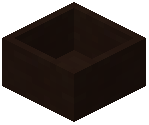 Black Botany Pot, and the same pattern with
  Blue Terracotta yields a
  Blue Botany Pot. Concrete and glazed terracotta follow the same shape: five
  Black Concrete plus a Flower Pot gives a
  Black Concrete Botany Pot, and five
 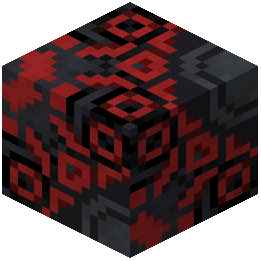 Black Glazed Terracotta plus a Flower Pot gives a
 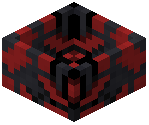 Black Glazed Botany Pot. Swap in
  Blue Concrete or
  Blue Glazed Terracotta and you get the blue equivalents.
Once you have the pot, decide what to grow and what it grows in. Different crops need different soils — wheat wants dirt while nether wart wants soul sand. Right click the pot with your soil, then right click again with your seed. Growth begins on its own and may take a while.
Speeding Up Growth
Right click the growing crop with  Bone Meal to push it along. Bone Meal is a fertilizer in this system, and fertilizers are a distinct category from soils and crops. Applying one shortens the wait before the crop finishes.
Harvesting
When the crop is ready, right click the pot to collect it. The pot immediately replants the same seed, so you never re-add it by hand. To pull items out without harvesting, sneak and right click the pot with an empty hand. Breaking the block also drops what is inside.
Hopper Botany Pots
A hopper turns a pot into a self-harvesting station. Adding a  Hopper to an existing pot upgrades it: Hopper plus Black Botany Pot makes a
 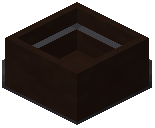 Black Hopper Botany Pot, and Hopper plus Blue Botany Pot makes a
 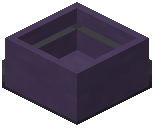 Blue Hopper Botany Pot. You can also build the upgrade directly into the craft — five Black Concrete, a Hopper, and a Flower Pot produce a
  Black Concrete Hopper Botany Pot, and the same three-part recipe with Blue Glazed Terracotta produces a
 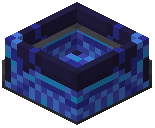 Blue Glazed Hopper Botany Pot.
A hopper pot harvests on its own and pushes the drops into a chest or any other block with an inventory, so you can leave it running.
Waxed Variants
 Honeycomb converts a pot into a waxed version. Honeycomb plus Black Botany Pot gives a
 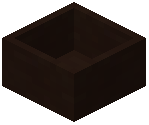 Black Waxed Botany Pot, and Honeycomb plus Blue Botany Pot gives a
  Blue Waxed Botany Pot. The pattern holds across the colored families: Honeycomb plus Black Concrete Botany Pot makes a
  Black Concrete Waxed Botany Pot, and Honeycomb plus
  Blue Glazed Botany Pot makes a
  Blue Glazed Waxed Botany Pot.
Soils, Crops, and Fertilizers
Soils cover a wide range of blocks and fluids. Examples include  Lava Bucket,
  Bucket of Axolotl,
  Bucket of Cod,
  bucket_eternal_water,
  edelwood_lava_bucket,
  edelwood_water_bucket, and
  the_baby_leviathan_bucket.
Crops are equally broad. The crop list includes  ancient_soulberries,
  allium_flower_bush,
  aloe_vera,
  alpine_bellflower,
  amaranth,
  angelica,
 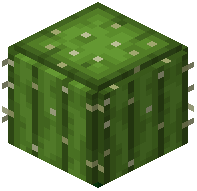 barrel_cactus,
  beach_grass,
  begonia,
  bistort,
  black_rose,
  blue_rose_bush,
  blue_sage,
  blueberries,
  california_poppy,
  cattail_sprout,
  clover_patch,
  crocus,
  cyan_amaranth,
  cyan_pitcher_plant,
  cyan_rose,
  cyan_tulip,
  daffodil, and
  delphinium, among many others.
Fertilizers are a small group, with Bone Meal as the clear example.
Custom Crops and Mod Support
The mod reads predefined data files that define soils, fertilizers, and new crops. Mod authors and server owners can drop these files into a data pack to customize what pots accept. Players can also build and share their own data packs to widen crop support. Beyond data packs, CraftTweaker support lets you remove, modify, and add crops, soils, and fertilizers.
Practical Layout
Line up hopper pots against a chest wall and feed them the right soil and seed once. Each pot keeps replanting itself, and each hopper keeps emptying the results into storage. Use the colored and waxed variants to match the build around them, and check the soil requirement before planting anything unusual.
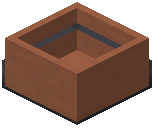 Hopper Botany Pot