
Crafting and Using the Pasture Block in Cobblemon
The Pasture Block in Cobblemon allows trainers to tether and display their stored Pokémon in designated open-world areas directly from the PC storage network. Placing this ranching station lets your captured creatures roam freely outside their Poké Balls, bringing life to homesteads while providing easy access to team members without crowding your active party.
Crafting the Pasture Block
Constructing a pasture block requires combining computer components, agricultural goods, and building timbers on a crafting table:
- The top row consists of three planks across the slots (any wood variant, including
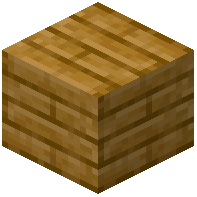 Apricorn Planks or
  Saccharine Planks).
 - The middle row requires one plank on the left slot, a craftable
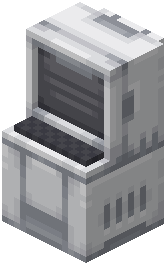 PC terminal in the center slot, and one plank on the right slot.
 - The bottom row features one piece of wheat on the left slot, an iron
 Hopper in the center slot, and one piece of wheat on the right slot.
The combination of the central PC unit and the hopper automation gives the pasture block its wireless connection to your boxed Pokémon inventory.
Setting Up and Enclosing Your Pasture
Once crafted, choosing the right physical location ensures your roaming creatures remain safe and easily accessible:
- Place the
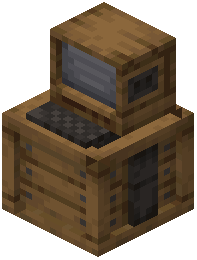 Pasture Block on flat terrain surrounded by fences, hedges, or stone walls to establish a defined boundary. While Pokémon cannot wander infinitely far from the pasture anchor, perimeter fencing prevents them from wandering into dangerous ravines, lava pools, or hostile mob spawns.
 - Clear out hazards such as cacti, berry bushes, and open fire sources within the roaming perimeter.
- Illuminating the enclosed ranch area prevents hostile vanilla monsters from spawning near your resting companions during nighttime cycles.
Releasing and Managing Boxed Pokémon
Interacting with the station brings up an intuitive storage management interface:
- Right-clicking the Pasture Block opens a specialized terminal window displaying your connected PC storage boxes.
- Click on any stored Pokémon in your boxes and select the release-to-pasture option to spawn them into the immediate surrounding area.
- Roaming Pokémon exhibit authentic idle behaviors: they graze on grass, walk around the paddock, display sleeping animations at night, and interact peacefully with nearby trainers.
- To return a Pokémon back into digital storage, right-click the pasture block again and withdraw the creature back into its assigned PC box slot.
Using pasture blocks is ideal for establishing dedicated breeding corrals, showcasing rare shiny captures, and creating functional ranch environments without sacrificing party slots.
 Poké Ball
 Ether
Ether Iron
Iron