
Building Big Cannons: Casting, Boring, Welding, and Assembly
Building big cannons involves several steps: casting, boring, welding, and assembling cannon blocks. These processes use Create's kinetic system and a multiblock casting system to construct multiblock cannons.
Cannon Casting
The first step in creating cannon blocks is Cannon Casting. To begin, place a cannon mould to form a cast layer. Deployers can also interact with cannon casts.
Next, fill the cast with molten metal to start the casting process. 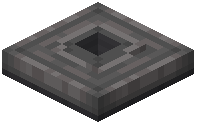 Basin Foundry Lids are used to melt down metals for this purpose and must be heated to process melting recipes.
Cannon casts provide a signal that can be read by comparators. This signal measures how full the cast is, ranging from 0 to 14, and outputs 15 when the cast is finished.
After the cast is completely filled, the molten metal needs time to solidify. The duration of this solidification process depends on the size of the cast. Once finished, the cannon cast can be removed by breaking or interacting with it. It is possible to automate the removal of finished casts. Smaller cannons, such as autocannons, automatically shed their casting sand.
By default, most cast cannons will turn into scrap when broken without a Silk Touch pickaxe. Create's contraptions can be used to move cannons in various ways.
Boring Holes in Cast Cannons
After casting, 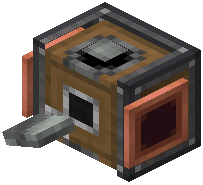 Cannon Drills are used to bore out the cast cannons. These drills require rotational force to operate. In addition, they consume water, with consumption increasing as their speed increases. For the drill to work, its speed must match the speed of the lathe it is attached to. Bored cannon blocks will drop scrap items.
Building Built-Up Cannons
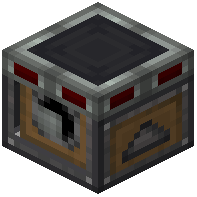 Cannon Builders are used to assemble the layers of built-up cannons. To toggle the attachment state of a Cannon Builder, pulse it with power. When grabbing layers from built-up blocks, the outermost layer will always be grabbed.
Finishing Built-Up Cannons
To transform built-up cannon layers into built-up cannon blocks, they must be blasted. This process is similar to the bulk blasting of items, where a fan blows into a lava block to create a heating current. A built-up cannon block requires all the correct layers to be transformed. The transformation of cannon layers into cannon blocks takes some time.
Incomplete Cannon Blocks
Some bored cannon blocks, typically cannon breech blocks, require additional items to be completed. To complete these blocks, use the required items on the block itself. Deployers can also be used to complete incomplete cannon blocks.
Creating a Quick-Firing Breech
To convert a Sliding Breech into a Quick-Firing Breech, use a  Quick-Firing Mechanism. Deployers can also be used for this conversion. A Quick-Firing Breech can be reverted back to a Sliding Breech by using a wrench on it.
Using the Cannon Welder
Cannon blocks placed in survival mode do not automatically connect to other cannon blocks. The  Cannon Welder can quickly connect two adjacent cannon blocks at a time. To weld them, right-click two adjacent cannon blocks. The blocks must align, connect, have the same material, and be of the same cannon type.
By default, the Cannon Welder cannot weld certain cannon materials or types together. However, it can weld different types of cannons. Welding cannon blocks together can weaken specific types of cannons. It is recommended to craft and move cannon pieces in their entirety rather than welding them.
Covers the mod’s in-game guide topics: Using the Basin Foundry Lid Boring Holes in Cast Cannons Building Built-Up Cannons Cannon Casting Using the Cannon Welder Finishing Built-Up Cannons Incomplete Cannon Blocks Creating a Quick-Firing Breech Moving Cannons Around
 Casting Sand