
Cannon Mounts: Assembly, Aiming, and Firing
This guide explains how to assemble, aim, and fire cannons using various cannon mounts.
Assembling Cannons
To assemble a big cannon, it must be placed on a 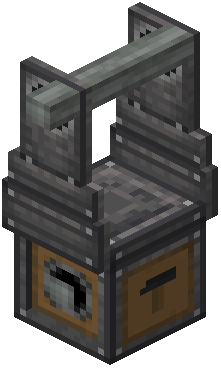 cannon mount. Power the hammer face of the cannon mount with a redstone signal to assemble the cannon.
Autocannons are multiblock cannons designed for faster firing rates.
Aiming Cannons
To aim a mounted cannon, power the cannon mount itself. This will allow you to aim the cannon up and down, or side to side.
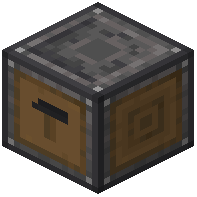 Fixed Cannon Mounts are used for aiming cannons at a consistent spot. They do not use kinetic input for aiming; instead, their aim must be set manually using the side interfaces. Interfacing with a Fixed Cannon Mount for aiming is similar to a regular Cannon Mount, using the same control faces. Fixed Cannon Mounts cannot be extended. You can rotate a Fixed Cannon Mount using a wrench.
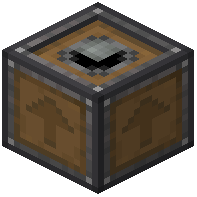 Cannon Mount Extensions provide additional interface areas for blocks. They extend the mount they point into, which is indicated by an arrow on their sides.
Cannon Mounts can be placed upside down on the bottom of blocks. You can also rotate a Cannon Mount to face downwards by clicking its sides with a wrench.
Firing Cannons
After a big cannon has been loaded, assembled, and aimed, it is ready to fire. Power the lit cannon face on the cannon mount to fire the mounted cannon. To prepare for the next shot, disassemble the cannon by unpowering the hammer face. When disassembled, the cannon instantly returns to the position it was in when it was first assembled.
Autocannons fire at a fast rate and take item munitions as input. When an autocannon fires, spent ammunition is ejected from the breech. To make an autocannon shoot, power the firing face on the cannon mount. Increasing the power on the firing face will increase the fire rate of the autocannon.
Customizing Autocannons
Autocannons can be customized for both appearance and function.
- Wrenching the end of an autocannon will change its barrel end type.
 Recoil Springs cause the barrel to push back when the autocannon fires.
- Wrenching the autocannon breech will add handles. Autocannons with handles are controlled by the player rather than by kinetics.
- A seat can be placed on a handle breech, but seats are purely cosmetic.
- Wrenching the autocannon breech again will remove the handles. Any placed seats will be returned to the player or popped off.
Breech Types
Using a Sliding Breech
Sliding Breeches allow for quick loading of cannons from the breech, but they come at the cost of reduced cannon strength. To open a Sliding Breech, use rotational force. Once fully opened, cannon munitions can be loaded through the breech. The Sliding Breech must not be obstructed by munitions or loader contraptions for it to close.
Using a Screw Breech
Screw Breeches are strong breech blocks that do not have strength penalties like Sliding Breeches. To unlock a Screw Breech, use rotational force. Once the Screw Breech is fully unlocked, use kinetic contraptions to move it out of the way for loading. After loading is complete, close the Screw Breech to close the cannon.
Covers the mod’s in-game guide topics: Assembly and Use Customizing Autocannons Firing Big Cannons Using a Screw Breech Using a Sliding Breech Placing Cannon Mounts upside down Using Autocannons Using Cannon Mount Extensions Using Fixed Cannon Mounts