
Running Create Big Cannons on NeoForge Mod Loaders
guide
Running Create Big Cannons on the NeoForge mod loader ensures full kinetic compatibility with Minecraft 1.21.1 modpacks and adjacent Create expansion addons.
NeoForge Environment Setup
NeoForge is the designated modern loader for Minecraft 1.21.1. Installing Create Big Cannons on NeoForge ensures stability:
- Install the latest stable build of NeoForge 1.21.1.
- Allocate at least 4 to 6 GB of RAM to the Minecraft launcher profile to accommodate physics calculations and particle effects.
- Ensure Java 21 is selected in your launcher settings.
Mod Compatibility and Kinetic Network
When running under NeoForge:
- Cannon contraptions integrate with Create's Stress Capacity and RPM calculations.
- Heavy steel and nethersteel cannon crafting requires high-stress power supplies like steam engines or water wheels.
- Fluid pipes from adjacent tech mods can supply molten bronze or cast iron directly into casting basins.
Kinetic Power Setup on NeoForge
Artillery manufacturing on NeoForge requires establishing a robust kinetic power infrastructure:
- Large mechanical boring machines and cannon welders consume considerable rotational stress capacity.
- Power your foundry workshop using high-stress generators such as Create Steam Engines, large water wheels, or windmills with high-speed rotation gearboxes.
- Install Stressometers and Speedometers along your kinetic drive shafts to monitor capacity and prevent catastrophic system overstress stalls during barrel machining.
Configuration and Multiplayer Synchronization
To resolve common setup issues on multiplayer NeoForge servers:
- Verify that your version of Create matches the build requirements of Create Big Cannons 5.11.7.
- Check that fluid tags such as molten bronze and molten cast iron resolve cleanly between Create Big Cannons and compatible foundry mods.
- If cannons fail to fire, check that the cannon mount is properly assembled using super glue and powered by a redstone trigger.
- Synchronize client and server configuration files so that projectile flight times, explosive blast radii, and recoil velocities match across all players.
NeoForge Server Administration and Performance
Running artillery combat on multiplayer NeoForge servers requires thoughtful optimization:
- Set sensible limits on the number of active autocannons per chunk to prevent entity tick overload.
- Keep the server tick rate healthy by pre-generating world terrain around artillery testing ranges.
- Provide clear guidelines to players regarding explosive shell testing near community hubs and residential builds.
 Molten Cast Iron
 Cannon Welder
 Molten Bronze
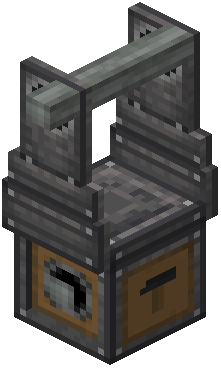 Cannon Mount