
Automated Enchanting and Book Printing in Create Enchantment Industry
Automating gear enchantment in Create: Enchantment Industry requires upgrading a Blaze Burner into a Blaze Enchanter using a smithing table. By piping Liquid Experience directly into this kinetic machine, engineers can enchant tools, weapons, and armor automatically without ever opening an enchanting menu.
Upgrading the Blaze Burner into Specialized Machines
Modern enchanting machinery is constructed by transforming kinetic burners at a standard smithing table:
- Creating the Blaze Enchanter: Combine a smithing upgrade template, an active Blaze Burner, and an enchanting table inside a smithing table. The resulting machine retains the lively blaze spirit, now channeled into imbuing equipment with magical enchantments.
- Creating the Blaze Forger: Combine a smithing template, a Blaze Burner, and an anvil in a smithing table to construct an automated forging and repair machine.
- Creating the Classic Blaze Enchanter: Combine a smithing template, a Blaze Burner, and a
 Blaze's Enchanting Handbook in a smithing table.
- Creating the Blaze Composer: Combine a smithing template, a Blaze Burner, and an
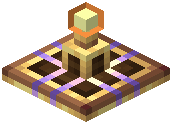 Affix Augmentor in a smithing table for affix modification.
Piping Liquid Experience into the Blaze Enchanter
Unlike static magical altars that consume floating player levels, the Blaze Enchanter operates purely on pressurized fluid:
- Fluid input: Connect fluid pipes to the base of the machine to pump in Liquid Experience. The internal tank holds experience fluid ready to apply enchantments.
- Feeding items: Position a mechanical belt or mechanical arm to feed un-enchanted gear directly onto the burner head.
- Automated processing: When supplied with sufficient fluid experience, the blaze consumes the liquid and immediately expels the enchanted tool or weapon onto an output depot or conveyor belt.
Crafting the Printer for Automated Copying
Duplicating high-level enchanted books and name tags is handled by the 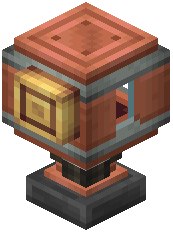 Printer, a specialized kinetic machine:
- Crafting the Printer: In a crafting table, place a brass sheet in the top slot, a fluid spout in the center slot, and an iron block in the bottom slot.
- Supplying fluid: Position fluid pipes to supply Liquid Experience into the Printer.
- Copying enchanted books: Place the original enchanted book on the target block directly beneath the Printer. Feeding blank books beneath the descending print head stamps identical enchanted copies, consuming fluid experience for each duplicate created.
- Mass-labeling: The Printer can also duplicate custom name tags or schedules across factory assembly lines without requiring manual anvil operations.
Pressing Templates for Advanced Configuration
Refined experience blocks can be stamped into permanent industrial templates using a mechanical press:
- Pressing the
 Enchanting Template: Place a
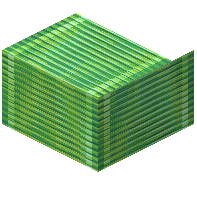 Block of Experience beneath a descending mechanical press to compress it into an Enchanting Template.
- Pressing the
 Super Enchanting Template: Compress a
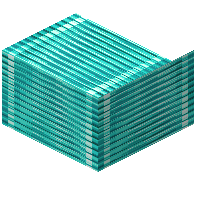 Block of Super Experience beneath a mechanical press to create a Super Enchanting Template.
- Consolidating super experience: Combine nine
 Nugget of Super Experience pieces in a crafting table to craft one Block of Super Experience, which uncrafts back into nine nuggets when needed.
Integrating these automated presses, printers, and blaze enchanters creates a fully self-sufficient enchanting facility that processes equipment at industrial speed.
Covers the mod’s in-game guide topics: Affix Augmentor Automating
 Liquid Experience