
Cyclic Storage Guide: Crates, Casks, Tanks, and Item Shelves
Cyclic adds several storage blocks that cover containers, fluid tanks, and item display, each aimed at a different job. Some are built to survive damage that would destroy an ordinary chest, while others move liquids or clear unwanted materials out of a system entirely. This guide covers what each block does and how to interact with it.
Crates and Mini-Crates
The 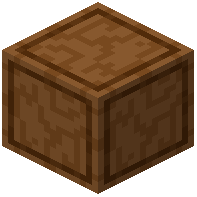 Crate works as a container in the same general role as a chest, but it is reinforced. That reinforcement lets it survive explosions and wither attacks, so it holds up in situations where a normal storage block would be destroyed and its contents spilled or lost.
The  Mini-Crate is the smaller version of the same idea. Like the Crate, it functions as a container and is reinforced against explosions. It also has one extra property: it can be waterlogged. That means it can occupy a space that is also filled with water, which makes it useful in wet builds or underwater setups where a dry block placement would otherwise be awkward.
Casks and Fluid Storage Tanks
The 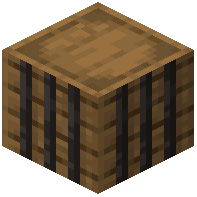 Cask is a compact tank built for holding fluids. It is small, which makes it suited to tight spots or simple fluid storage where a full-sized tank would be overkill. Filling and emptying it is flexible: pipes can move fluids in and out, and handheld fluid containers such as buckets can also be used directly on it. That means you are not locked into one method of transfer.
The  Fluid Storage Tank is the larger counterpart to the Cask. Where the Cask is small, the Fluid Storage Tank holds a greater amount of fluid within a single block. If you need bulk liquid storage rather than a small buffer, this is the block to reach for.
Item Shelf
The 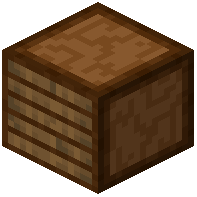 Item Shelf stores items across 5 slots. Beyond simple storage, it has two adjustable behaviors. Using any normal Wrench toggles its display mode, letting you switch how the stored items are presented. Using a Rotation Tool changes which direction the shelf faces, so you can orient it to match the room or wall it sits against.
Trash Void
The 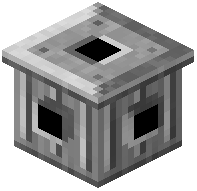 Trash Void is a deletion block rather than a storage block. Anything piped into it — items or fluids — is destroyed. It is the tool for getting rid of unwanted output from farms, machines, or fluid systems without letting it pile up somewhere else.
Be careful with this one. There is no undo button. Once something has been sent into the Trash Void, it is gone for good, so make sure nothing valuable is routed into it by mistake.
Picking the Right Block
- Need a chest-like container that shrugs off explosions and wither attacks? Use the Crate.
- Need the same protection in a smaller form, or a container that can sit in water? Use the Mini-Crate.
- Need a small fluid buffer that works with both pipes and buckets? Use the Cask.
- Need to hold a lot of fluid in one block? Use the Fluid Storage Tank.
- Need to show off or organize items across a few slots with adjustable facing and display mode? Use the Item Shelf.
- Need to permanently remove unwanted items or fluids? Use the Trash Void, and double-check what feeds into it.
Covers the mod’s in-game guide topics: Crate Mini-Crate Cask Fluid Storage Tank Item Shelf Trash Void
 Wrench