
Exposure Mod Frames, Albums, Copying, and Component Transfer Guide
Photograph Frames
The  Photograph Frame is a crafted container used to display a single photograph. To make one, arrange four
  Sticks, four
 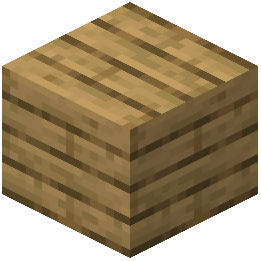 Oak Planks, and one
  Item Frame in a shaped crafting pattern. The result is a frame that holds a photograph for wall or surface mounting.
A  Glass Photograph Frame is a variant that allows the photograph to be seen from both sides. Craft it by combining four
  Glass Panes with one Photograph Frame in a shaped recipe. This version is useful for displays where the back of the frame is visible.
Photo Album
The  Photo Album is a storage item for organizing multiple photographs. It is made with a shapeless recipe: combine one
  Book and Quill with one
  Phantom Membrane. The album lets you keep several photos together in a single portable item, making it easier to browse through a collection without placing each frame individually.
Photograph Copying
Copying photographs is done through crafting, and there are two possible recipes. Both produce a  Photograph item, but they differ in the dyes used.
- The simplest copy recipe uses one
 Paper and one
  Black Dye. This yields a basic black-and-white photograph.
 - A more complex recipe uses one Paper, one Black Dye, one
 Cyan Dye, one
  Magenta Dye, and one
  Yellow Dye. This combination produces a full-color photograph.
You will need the original photograph as part of the crafting process, though the exact arrangement depends on the specific recipe you are using. The dyes determine the color output, while the paper serves as the base for the copied image.
Component Transferring
Component transferring is a single crafting recipe that converts one item into a different functional component. The only known example is turning an  Eye of Ender into an
  Interplanar Projector.
This recipe is shapeless, meaning you simply place the Eye of Ender into the crafting grid, and the result is the Interplanar Projector. This component likely serves a specific purpose in the mod’s mechanics, but its exact function is not detailed here.
Practical Notes
When working with frames, remember that the Glass Photograph Frame requires an existing Photograph Frame as a base, so you must craft the standard version first. The Photo Album is independent of frames and works as a separate storage solution.
For copying, always check which dyes you have available. The black-only recipe is cheaper, while the five-dye recipe gives you a colored result. Both require paper as a consumable ingredient.
The Interplanar Projector is the only known output of component transferring, so if you need that item, the Eye of Ender is your required input. There are no alternative recipes for this conversion.
Keep in mind that all crafting here follows standard Minecraft crafting rules: shaped recipes must match the exact pattern in a 3x3 grid, while shapeless recipes only require the listed items in any arrangement. The Photograph Frame and Glass Photograph Frame are shaped, while the Photo Album and component transfer are shapeless.
Use these recipes to build a display system for your photographs, store them in an album for easy transport, duplicate images as needed, and convert components when the situation calls for it. Each item serves a distinct role, and none of the recipes overlap, so you can pursue all four crafting goals independently.
Covers the mod’s in-game guide topics: Photograph Frame Glass Photograph Frame Photo Album Photograph Copying Component Transferring Photograph