
Recoloring Autocrafters and Monitors in Storage
guide
Recoloring in Refined Storage allows engineers to customize the visual appearance of autocrafters, monitors, and terminals using standard dyes.
The Aesthetic and Organizational Power of Dyes
As digital networks expand across massive underground bases, identifying specific machinery wings becomes challenging:
- Place an uncolored machine like a default
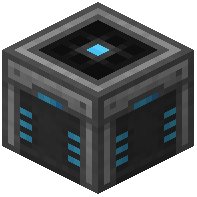 Autocrafter into a standard crafting grid alongside your chosen dye.
 - Combining the machine with red, blue, green, or black dye restyles the outer housing with a vibrant colored finish.
- Dyeing does not alter internal inventories, stored crafting patterns, or connected network channels in any way.
- Restyling multiple crafters allows engineers to color-code production lines according to mod, tier, or item type.
- For instance, assign blue crafters to metallurgy, green to agriculture, and red to hazardous alchemical synthesis.
- Clear dyed machines back to default light-gray finishes by washing them inside a water cauldron at any time.
Centralized Machine Management and System Monitoring
Pairing color-coded autocrafters with visual monitoring consoles establishes complete operational oversight:
- Connect all network crafting nodes to a centralized
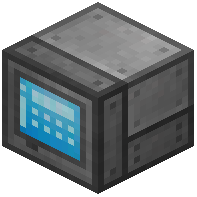 Autocrafter Manager to view every installed pattern simultaneously.
 - Color-code the manager terminal to match your central command room palette, creating an immaculate modern server room.
- Install a wall-mounted
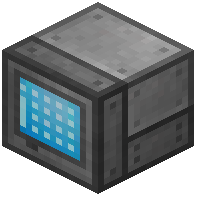
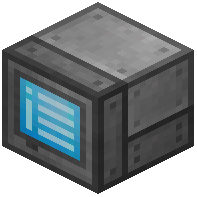 Autocrafting Monitor in busy workshop bays to track active production jobs from afar.
 - The monitor displays remaining crafting steps, missing ingredients, and processing durations in real time.
- Customizing your hardware aesthetic prevents visual fatigue and elevates industrial bases into beautiful sci-fi facilities.
Facility Standardization and Server Aesthetics
Implementing color-coded hardware standards simplifies maintenance across large cooperative multiplayer teams:
- Establish designated color protocols across your faction base so all members instantly recognize specialized wings.
- Grouping color-matched autocrafters together against contrasting concrete walls creates an impressive industrial aesthetic.
- Swapping machine colors costs nothing more than a single floral dye, making aesthetic remodeling effortless.
- Beautiful, color-coordinated hardware layouts distinguish amateur digital storage setups from legendary engineering masterworks.
- Clean color divisions allow new guild members to navigate complex automated factories without accidental disruptions.
- Organizing storage wings with dedicated color themes keeps your base visually appealing during demanding late-game expansion.
 Crafting Grid
 Pattern
 Grid
Grid