
Researching Military Blueprints and Smithing Firearms
Researching Military Blueprints and Smithing Firearms is the crafting path that turns raw ore into working guns, and the 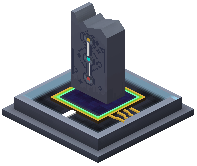 Gun Reforge Table is where those guns get stronger afterward. The chain starts underground, moves through a furnace, and ends at a bench where perks are bought with points earned by shooting.
Finding the Ore
Three ores feed the military crafting chain, and each one spawns at its own depth band in the overworld.
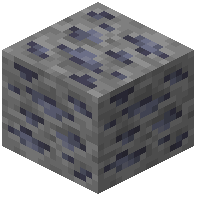 Galena Ore appears between Y=36 and Y=1. Below that,
 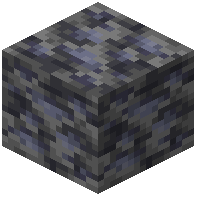 Deepslate Galena Ore fills the Y=0 to Y=-64 range.
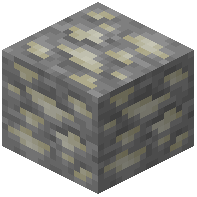 Scheelite Ore appears between Y=48 and Y=1, with
 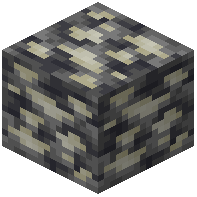 Deepslate Scheelite Ore taking over from Y=0 down to Y=-64.
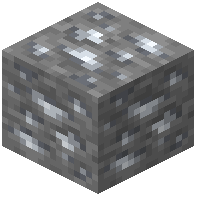 Silver Ore also appears between Y=48 and Y=1, and
 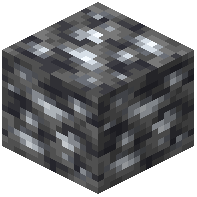 Deepslate Silver Ore covers Y=0 to Y=-64.
Dig with a pickaxe strong enough for the stone you find, and bring plenty of torches — the deepslate variants sit well below sea level.
Smelting Tungsten
Tungsten is the awkward one. A  Tungsten Ingot cannot come out of an ordinary furnace; only a Blast Furnace will produce it. Build or locate a Blast Furnace before you commit to a tungsten-heavy blueprint, because a regular furnace will simply refuse the job.
Perks at the Gun Reforge Table
The Gun Reforge Table is the heart of firearm improvement. Every gun accepts three perk slots: an Ammo Perk, a Functional Perk, and a Damage Perk. Each perk climbs as high as level 20.
Guns carry their own Level and Upgrade Points. Firing the weapon or killing living creatures feeds it experience. Each pair of levels earned hands you one Upgrade Point, and those points are what you spend to raise a perk. If you want points faster, place the gun and a Shortcut Pack together on an anvil — the pairing yields one Upgrade Point.
Ammo Choices
Ammo perks change how a gun behaves, and the two bullet types pull in opposite directions.
 AP Bullet: trades 10%% of its damage for 20%% more velocity and heavy armor piercing that scales with perk level. It also makes shotguns fire slugs. Its color is #E64623.
 JHP Bullet: gains 10%% damage but loses 5%% velocity and 20%% armor piercing, and shotguns firing it also throw slugs. Its color is #E68341. On a hit, it deals extra damage that grows as the target's armor gets thinner.
Support Gear Worth Building
Several devices make testing and defending a firearm much easier.
The Target Deployer measures your output. It reports damage dealt and distance in chat. After taking 40 damage it goes down, turns invulnerable, and resets itself. Right-click it bare-handed to spin it around, or sneak and right-click to pick it up. The  DPS Generator is a variant that converts damage into FE; each time it is downed its Level rises, doubling its effective HP and increasing FE output.
The  FuMO25 Fire Control Radar scans nearby entities. Click a blip to see a position and name, then enter Firing Parameters on the right side and press the button to record locations. Normal Mode is the default; the buttons switch to Wider Mode for a larger scan, Alert Mode to highlight entities, and Guidance Mode, which directs your own defense towers to strike selected targets in range.
The  Superb Item Interface moves items into entities quickly, faster than a hopper. Arrows show the flow, placement sets the direction, and a Crowbar flips it. Anything facing the flow can pull from its five slots.
For mobility, the 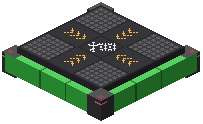 Jump Pad flings players, entities, and every vehicle in Superb Warfare upward when stepped on, and pressing in midair gives a dash toward where you look. Sneaking as you approach sends you toward your facing direction instead. The
 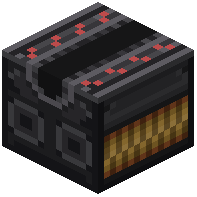 Aircraft Catapult works as a conveyor, moving whatever stands on it in the direction its arrow points; it needs a redstone signal at the front end, and a stronger signal means faster transport.
Finally, the  Drone gives you eyes away from home. Deploy it and bind it with a Monitor — the Monitor lights up when the link is set — then right-click to enter drone view. It has 5 durability, and high-speed crashes wear that down until it explodes at zero. Fly too far from the player and the connection drops. In view you can move, ascend, descend, zoom with the mouse wheel, interact or attack, and drop a payload or self-destruct.
Lay 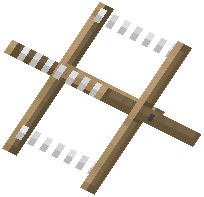 Barbed Wire around a testing range to slow and steadily damage anything that wanders in, much like cobwebs but with a bite.
 Firing Parameters
 Shortcut Pack