
Superb Warfare Drones, Radar and the Gun Reforge Table
Beyond weapons and vehicles, Superb Warfare adds reconnaissance and modification tools. This guide covers how they work.
Drones need a monitor
A drone is deployed and then bound to a monitor. When the binding succeeds the monitor lights up, and right-clicking it puts you into the drone's view.
Drones have 5 durability. That is a small number, and it makes a drone a scouting asset to be spent deliberately rather than a permanent tool — losing one is expected rather than a mistake.
The FuMO25 radar
The  FuMO25 Fire Control Radar scans nearby entities and shows them as blips. Left-clicking a blip displays that entity's position and name, and the block accepts firing parameters.
Between the drone and the radar the mod offers two very different reconnaissance styles: the drone puts your eyes somewhere specific at the cost of durability, while the radar gives you a passive picture of everything around a fixed point.
Gun perks come in three types
The 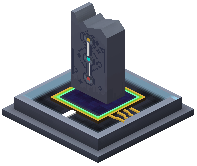 Gun Reforge Table adds perks to guns, and every gun can hold three types of perk. Perk level matters directly for ammunition: armour-piercing rounds ignore 35 percent plus 5 percent per perk level of the target's armour, so the table and your ammunition choice are one decision rather than two.
Hollow-point rounds work the opposite way, adding damage that scales inversely with how much armour the target has.
Testing damage honestly
The Target Deployer reports damage and distance in chat when shot. It goes down after 40 damage and becomes invulnerable briefly, which means it measures a burst rather than sustained fire.
With 337 items in the mod and a three-perk system on top, this is the only way to compare two loadouts on numbers rather than impressions.
The support blocks
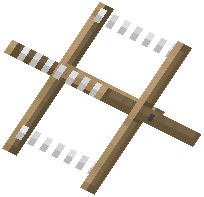 Barbed Wire slows entities the way cobwebs do while dealing continuous damage
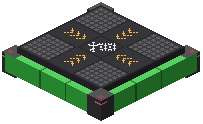 Jump Pad launches players, mobs and every vehicle in the mod; pressing again in the air gives a directional dash
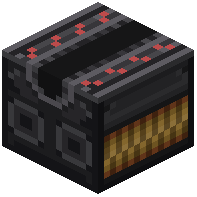 Aircraft Catapult moves whatever stands on it in the direction of the arrow on the block, and needs a redstone signal
 Superb Item Interface transfers items to entities rapidly, with direction set by placement and changeable with a
  crowbar
The crowbar appears twice in this mod — opening vehicle containers and reversing the item interface — so it is worth carrying rather than crafting when needed.
Deepslate ore variants
All three of the mod's ores have deepslate forms running Y=0 down to Y=-64, below the ordinary variants at Y=48 (silver, scheelite) and Y=36 (galena). A deep branch mine therefore reaches every metal in the mod without changing level.
 Firing Parameters
 Monitor
 Target