
Superb Warfare Ores, Ammunition and Weapon Perks
Superb Warfare ores, ammunition and weapon perks form the backbone of the mod's progression, from the rocks you mine underground to the bullets you load and the bonuses you stack on your guns.
Where the Ores Spawn
Three ore families matter here, and each one appears in two variants — a stone version near the surface and a deepslate version far below.
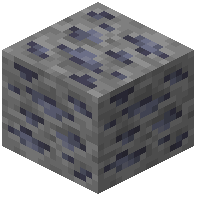 Galena Ore spawns in the overworld between Y=36 and Y=1. Its deepslate counterpart,
 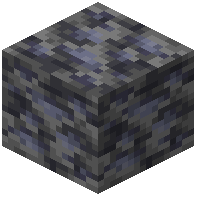 Deepslate Galena Ore, fills the range from Y=0 down to Y=-64.
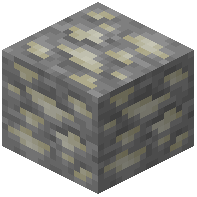 Scheelite Ore spawns in the overworld between Y=48 and Y=1.
 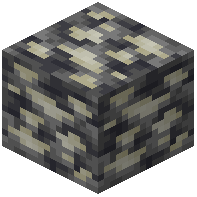 Deepslate Scheelite Ore occupies Y=0 to Y=-64.
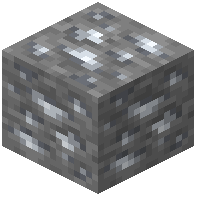 Silver Ore spawns in the overworld between Y=48 and Y=1.
 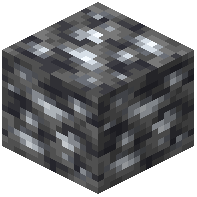 Deepslate Silver Ore occupies Y=0 to Y=-64.
One processing note:  Tungsten Ingot cannot be produced in an ordinary furnace. Only a Blast Furnace will do the job.
Bullet Types
Two ammunition variants change how a gun behaves, and both share one trait: they make shotguns fire slugs instead of pellets.
 AP Bullet trades raw damage for penetration. It loses 10% damage and gains 20% velocity, while armor piercing scales with perk level — 35 plus 5 for each level. Its tracer color is #E64623.
 JHP Bullet goes the other way. It gains 10% damage but loses 5% velocity and 20% armor piercing, and its tracer color is #E68341. On impact it deals bonus damage that scales inversely with the target's armor, so it rewards shooting at lightly protected enemies.
Perks and the Gun Reforge Table
The 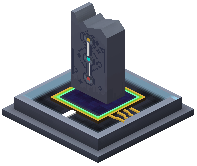 Gun Reforge Table is where guns get stronger. Every gun accepts three perk categories: an Ammo Perk, a Functional Perk and a Damage Perk.
Guns carry their own Level and Upgrade Points. Firing the weapon or killing living creatures earns experience. Each pair of levels earned yields one Upgrade Point, and those points are spent upgrading perks. No perk can exceed level 20.
There is a second route to Upgrade Points: place a gun and a  Shortcut Pack together on an anvil. The anvil may complain that the operation is too expensive, but the combination still grants a point.
Testing Your Damage
The Target Deployer measures how hard you hit. It reports the damage dealt and the distance in chat. After taking 40 damage it goes down, turns invulnerable for a moment, then resets itself automatically. Right-click it with an empty hand to rotate it; sneak and right-click to pick it back up. It is where the whole system began.
The  DPS Generator is a specialized target that converts damage into FE. Each time it is downed its Level rises, which doubles its effective HP and increases its FE output.
Utility Blocks Worth Knowing
The 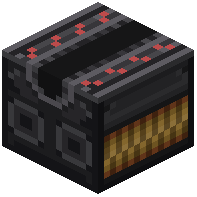 Aircraft Catapult moves any entity standing on it, acting like a conveyor belt. The arrow on the block sets the direction, and it needs a redstone signal to run — a stronger signal means faster transport. Apply the signal at the front end of the device.
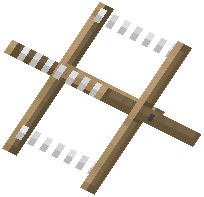 Barbed Wire behaves like cobwebs, slowing entities while dealing damage over time.
The 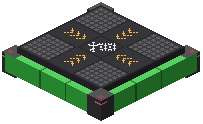 Jump Pad flings players, entities and every vehicle in the mod when stepped on. Press the jump key midair for a dash toward where you are looking. Approach it while sneaking and you launch in your facing direction. It makes odd noises when it fires.
The  Superb Item Interface moves items into entities faster than a hopper. Arrows show the flow direction, which depends on how you place it, and a
  Crowbar lets you flip that direction. Anything facing the flow can pull from its five-slot inventory.
Drones and Radar
Deploy a  Drone and bind it with a
  Monitor. Once the Monitor lights up, right-click to enter drone view. A drone has 5 durability; fast collisions chip it away, and at 0 durability it explodes. It disconnects if it drifts too far from you. In view you can move in all directions, ascend, descend, zoom with the scroll wheel, interact or attack, and drop a payload or self-destruct.
The  FuMO25 Fire Control Radar scans nearby entities. Left-click blips to reveal positions and names, then insert
  Firing Parameters on the right and press the button to record locations. Normal Mode is the default; the buttons toggle Wider Mode for a larger scan, Alert Mode to highlight entities, and Guidance Mode, which sends your owned defense towers after selected targets in range.