
Building Roads and Garages with Asphalt, Slopes, Signs, and Workshop Blocks
This guide covers the asphalt, slope, sign, and workshop blocks used for constructing roads and garages in the Ultimate Car Mod.
Asphalt and Its Recipes
 Asphalt is the primary building material for road surfaces. You can craft it using one of three shaped recipes, all starting with a single piece of
 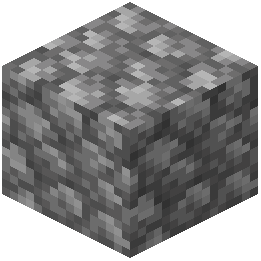 Cobblestone in the center. To create the asphalt, combine that cobblestone with either one piece of
  Charcoal, one piece of
  Coal, or one piece of
  Black Wool. Any of these three combinations will yield the same Asphalt block, so you can choose the recipe based on which fuel or dye material you have on hand.
Creating Slopes
To make your roads transition smoothly between different elevations, you use slopes. There are two slope variants, and both are crafted directly from Asphalt blocks.
 Lower Asphalt Slope (Flat): Place a single Asphalt block in a shaped crafting grid to produce this slope. This block is designed for the lower part of an incline, where the road surface begins to rise.
 Upper Asphalt Slope (Flat): Similarly, place a single Asphalt block in a shaped crafting grid to produce this slope. This block is intended for the upper portion of an incline, where the road levels off at the top.
Use these two slope types together to create a smooth, continuous ramp for your vehicles. The "flat" designation indicates that the slope face is even, providing a consistent driving surface.
Crafting Road Signs
For traffic control and directional guidance, you can craft a  Sign. The recipe requires one
  Iron Ingot and one
  Iron Stick. Arrange these in a shaped pattern to produce the sign block. This allows you to mark junctions, indicate parking areas, or post warnings along your road network.
Building a Garage with Workshop Blocks
To repair, modify, or store your vehicles, you will need to construct a garage using the workshop blocks.
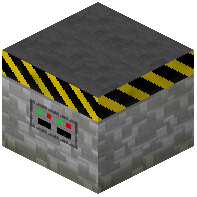 Car Workshop: This is the core functional block for your garage. To craft it, combine one Iron Ingot with one
 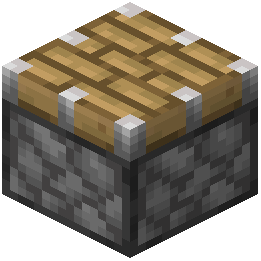 Piston in a shaped crafting grid. The Car Workshop is likely the station where you interact with your vehicle for maintenance or customization.
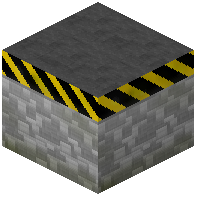 Car Workshop Part: This is a supplementary block used to expand or complete the structure of your workshop. Its recipe is simple: place a single Iron Ingot in a shaped crafting grid to produce one Car Workshop Part.
You can use these blocks together to build a functional garage area. The Car Workshop serves as the main unit, while Car Workshop Parts can be used to extend the build or create a larger, more complete workstation layout.
Practical Application
When planning a road project, start by laying down a base of Asphalt. For any changes in elevation, incorporate the Lower Asphalt Slope (Flat) and Upper Asphalt Slope (Flat) blocks to maintain a drivable incline. Place Signs at key points to guide traffic. Finally, set up a garage by placing a Car Workshop and surrounding it with Car Workshop Parts as needed. With these blocks, you have the fundamental tools to create a functional and organized driving environment.
Covers the mod’s in-game guide topics: Asphalt Lower Asphalt Slope (Flat) Upper Asphalt Slope (Flat) Sign Car Workshop Car Workshop Part
 Asphalt Slope
 Parking
 Key
Key