
Optimizing Zenith Gear with Reforging, Augmenting, and Sockets
Reforging for New Affixes
Reforging lets you replace an item’s current affixes with a fresh set, using the raw power of Rarity Materials and the flexibility of Gem Dust. This process works on any valid item, even one that never had affixes to begin with.
To start, build a 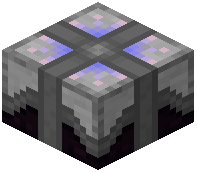 Simple Reforging Table. This station can handle results up to Rare rarity. The table has three slots: the center slot is where you put the item to be changed, the top-left slot accepts Rarity Materials matching the target rarity, and the bottom-right slot takes Sigils of Rebirth as fuel.
When you activate the table, three possible outcomes appear, much like an Enchanting Table. Each option shows a different potential version of your item. None of these choices is objectively better than another—they simply offer different affix combinations. The first option costs a base amount of experience, sigils, and materials. The second and third options cost double and triple that base price, respectively. Click the outcome you prefer, and the reforge completes.
Augmenting Individual Affixes
For finer control over your gear, the 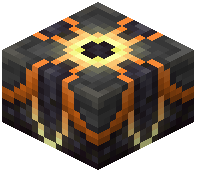 Augmenting Table is an end-game station that works on a single affix at a time. You can either strengthen that affix or replace it with a random new one, while every other affix on the item stays untouched.
Building this table requires a  Nether Star and two
  Godforged Pearls, arranged around an
 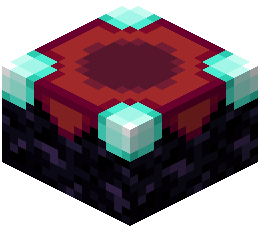 Enchanting Table to focus the energy. The station has two input slots: the upper one holds the affix item you want to modify (the item must have at least one affix), and the lower one holds Sigils of Enhancement as fuel. A drop-down menu lets you pick which affix to target.
In practice, you should reserve augmenting for items of Mythic rarity or higher. Epic items can be considered, but the cost is rarely worth it.
The first operation is upgrading. Spending two Sigils of Enhancement raises the internal strength of the chosen affix by 25%. How much that boost matters depends entirely on the affix itself—some gain a lot, others only a little.
The second operation is rerolling. This replaces the selected affix with a different one, leaving the item’s other affixes untouched. Rerolling is useful when you have a high-rarity item with one weak or unwanted affix.
Adding Sockets
The Add Sockets process has a single recipe. Using a  Sigil of Socketing on an item adds a socket to it. Sockets allow you to insert gems later, which is a key part of end-game optimization.
Salvaging for Materials
The Salvaging process has four known recipes, all involving horse armor. You can salvage  Diamond Horse Armor,
  Golden Horse Armor,
  Iron Horse Armor, and
  Leather Horse Armor. Each returns some material, though the exact output depends on the armor’s tier. Salvaging is a reliable way to recover resources from unwanted gear.
Overheal on Heavy Weapons
Some gear carries a stat called Overheal. When you have this stat, a portion of the physical damage you deal converts into an absorption shield. Unlike lifesteal, which triggers when you are hurt, Overheal activates when you are already at full health. This stat appears only on heavy weapons, making it a niche but powerful tool for builds that rely on sustained, high-damage hits.
Putting It All Together
For end-game optimization, the workflow is straightforward. First, reforge an item to get a solid set of affixes at the rarity you want. Then, augment the most important affix to boost its strength. If you find an affix that is useless, reroll it instead. Finally, add sockets to your best items so you can slot in gems. Salvage any spare horse armor to keep your material supply healthy. With these tools, you can fine-tune every piece of gear to match your build exactly.
Covers the mod’s in-game guide topics: Reforging Augmenting Add Sockets Salvaging Overheal
 Reforging Table
 Gem Dust