
Cell Workbench and Storage Partitioning in AE2
guide
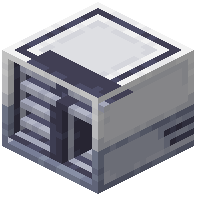
The  Cell Workbench in Applied Energistics 2 allows engineers to partition ME storage cells, pre-assign allowed item filters, and install upgrade cards.
Partitioning Storage Cells to Prevent Overflow
Unformatted ME storage cells frequently become clogged with hundreds of miscellaneous junk items, wasting valuable cell byte capacity:
- Craft the specialized Cell Workbench using smooth iron plates, certus quartz crystals, and calculation processors.
- Place the workbench adjacent to your central ME access terminals and right-click the block to open its configuration grid.
- Insert an unformatted storage cell, such as a
 1k ME Item Storage Cell, into the top-left cell cradle slot.
 - Drag item ghosts from your inventory into the 63-slot filter matrix to designate exact allowed item types.
- Once partitioned, the cell accepts only items matching the defined filter, completely rejecting unassigned clutter.
- Inserting partitioned cells into an ME drive ensures high-capacity items like mined stone never overflow into general storage.
- If necessary, remove the storage component from its
 ME Item Cell Housing to erase partitions or upgrade cell capacity.
Upgrading and Formatting Higher-Tier Storage Cells
The cell workbench accommodates the full spectrum of digital storage capacities, from basic cells to mass warehouse modules:
- Format mid-tier storage units like the
 16k ME Item Storage Cell to create dedicated bulk holding vaults for farm produce.
 - Partition high-capacity units like the
 64k ME Item Storage Cell to warehouse tens of thousands of cobblestone, dirt, and gravel.
 - Install fuzzy expansion cards into the workbench card slots to match item damage values or ore dictionary tags flexibly.
- Invert the partition matrix to establish blacklists, configuring cells that accept anything except specific hazardous items.
- Formatting cells before deploying them into large server networks prevents drive fragmentation and simplifies automated autocrafting.
Storage Optimization and Network Architecture
Developing disciplined cell partitioning standards maximizes total ME network efficiency across multiplayer bases:
- Dedicate specific drives solely to partitioned bulk materials while reserving unpartitioned cells for rare unstackable gear.
- Color-code cell housings using lumen paints to visually identify specialized ore cells, botanical cells, and mob drop units.
- Periodically inspect storage cell byte utilization through ME terminal diagnostic tabs to reallocate underutilized cells.
- Mastering the cell workbench transforms chaotic digital storage chests into immaculate, high-speed automated warehouses.
 4k ME Item Storage Cell
 Calculation Processor
 Certus Quartz Crystal
 ME Terminal
 ME Drive