
Building and Controlling Moving Structures with Create
This guide explains how to build and control complex moving structures using the Create mod. Create introduces various tools and blocks for building, decoration, and aesthetic automation, challenging players to set up contraptions of animated components.
Attaching Blocks to Contraptions
To group blocks into moving contraptions, use  Super Glue. Clicking two points will create a glued area. Any adjacent blocks within this area will move together. If different glue volumes overlap, they will also move as one. To remove a glued area, punch it while holding the Super Glue item. Blocks that are simply hanging on other blocks within a contraption typically do not need to be glued.
Another method for attaching blocks is with 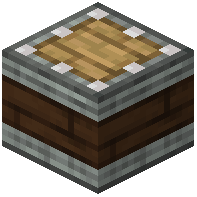 Linear Chassis. The open faces of a Linear Chassis can be made sticky by clicking them. Clicking again on a sticky face will make the opposite side sticky. To remove the stickiness, sneak and right-click with an empty hand. Stickied faces will attach a line of blocks in front of them. You can use a
  Wrench to set a precise range for the chassis. Holding CTRL while adjusting the range will affect all connected Chassis Blocks. For attaching blocks to any other side of a Linear Chassis, Super Glue is required. Using these methods, you can create contraptions of any shape.
Moving Structures
Several components allow you to move your assembled contraptions:
Mechanical Pistons
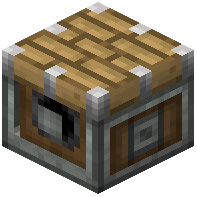 Mechanical Pistons can push blocks located in front of them. The speed and direction of this movement are determined by the rotational input they receive. For contraptions that need to be pulled back, use
 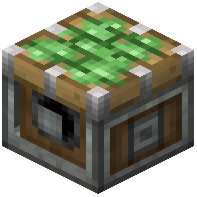 Sticky Mechanical Pistons. These can both push and pull attached blocks.
Cart Assemblers
Powered Cart Assemblers are used to mount attached structures onto passing Minecarts. If a 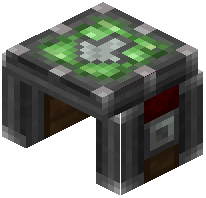 Cart Assembler does not receive a redstone signal, it will disassemble any passing cart contraptions back into individual blocks. Once a contraption is mounted on a Minecart, you can use a Wrench on the Minecart to pick up and carry the entire contraption elsewhere.
Elevator Pulley
The  Elevator Pulley moves structures vertically between marked locations. To set up an elevator:
- Construct a cabin for your elevator.
- Place a pair of
 Redstone Contacts facing each other.
 - Glue one of these Redstone Contacts to your moving structure (the cabin).
- Ensure the Elevator Pulley is supplied with rotational power.
- Right-click the pulley to assemble the elevator. The stationary Redstone Contact will convert into an
 Elevator Contact.
 - Any other Redstone Contact in the same vertical column will also convert into an Elevator Contact.
- Elevator Contacts represent "floors" and can be configured.
- To call the elevator to a specific floor, provide a redstone pulse to its corresponding Elevator Contact.
- For easier floor selection, you can attach
 Contraption Controls to your elevator.
Animating Structures
Clockwork Bearings
 Clockwork Bearings attach to blocks directly in front of them. When supplied with rotational force, the attached structure will rotate according to the hour of the day. For example, it can rotate to positions like 3:00 or 4:00. Right-clicking the Clockwork Bearing will start or stop the animation.
You can also add a second structure in front of the hour hand structure. Ensure that these two structures are not glued to each other. The second structure will then rotate as the minute hand.
Covers the mod’s in-game guide topics: Attaching blocks using Super Glue Moving Structures using Mechanical Pistons Moving Structures using Cart Assemblers Using the Elevator Pulley Animating Structures using Clockwork Bearings Attaching blocks using Linear Chassis