
Master Item and Fluid Movement
This guide details how to move items and fluids through your contraptions using various Create mod components.
Moving Items with Brass Tunnels
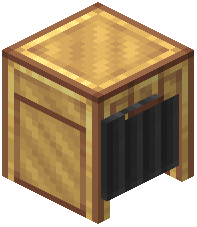 Brass Tunnels provide a way to cover your conveyor belts. Each open side of a Brass Tunnel has filter slots. Filters on incoming connections prevent non-matching items from entering. Filters on outgoing connections can be used to sort items by type. When an item has multiple valid exits, the tunnel's distribution mode determines how it is handled.
When Brass Tunnels are placed on parallel belts, they form a group. Incoming items will then be distributed across all connected exits within this group. Items can also be inserted directly into the Brass Tunnel block.
Moving Fluids with Copper Pipes
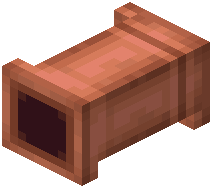 Fluid Pipes connect two or more fluid sources and targets. A straight pipe segment can be given a window using a wrench. Windowed pipes will not connect to other adjacent pipe segments. Fluid Pipes transport fluids when powered by
 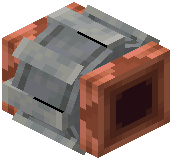 Mechanical Pumps. Initially, no fluid is drawn. Once the flow connects endpoints, their contents gradually transfer. The Pipe blocks themselves do not physically contain any fluid.
Fluid Transportation using Mechanical Pumps
Mechanical Pumps control the flow within their attached pipe networks. An arrow on the pump indicates the direction of flow. The pipe network behind the pump draws fluids, while the network in front transfers fluids outward. The pump's direction is not affected by its input rotation; a wrench can be used to reverse it.
Source Filling and Draining using Hose Pulleys
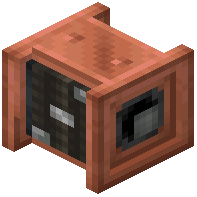 Hose Pulleys can fill or drain large bodies of fluid. The height of the pulley's hose is controlled by kinetic input. The pulley retracts when the input rotation is inverted. Pipes can be connected to the opposite side of the pulley. Attached pipe networks can either supply fluid to the hose, filling a pool, or draw from it, draining the pool. The fill and drain speed of the pulley depends entirely on the throughput of the connected fluid networks.
Emptying Fluid Containers using Item Drains
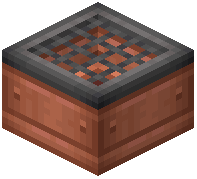 Item Drains extract fluids from items. Right-clicking an Item Drain with a fluid-containing item in hand will pour its contents into the drain. When items are inserted from the side, they roll across the drain, emptying their contained fluid. Pipe networks can then draw the fluid from the drain's internal buffer.
Controlling Fluid Flow using Smart Pipes
Smart Pipes help control fluid flows by fluid type. When placed directly at a source, they can specify the type of fluid to draw. To set this, right-click the Smart Pipe's filter slot with any item containing the desired fluid. When placed further down a pipe network, Smart Pipes will only allow matching fluids to pass through.
Covers the mod’s in-game guide topics: Using Brass Tunnels Moving Fluids using Copper Pipes Fluid Transportation using Mechanical Pumps Source Filling and Draining using Hose Pulleys Emptying Fluid Containers using Item Drains Controlling Fluid flow using Smart Pipes
 Wrench