
Setting Up Mechanical Crafters for Automated Crafting Recipes
An array of 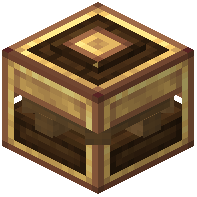 Mechanical Crafters can be used to automate any Crafting Recipe. Each Crafter in the array holds one slot of the recipe, and the arrangement of those slots determines whether the setup works. The sections below cover how to arrange the array, how to handle recipes that leave gaps, how to feed items in, and what the Mechanical Crafting recipes themselves look like.
Arranging the Array
Mechanical Crafters require Rotational Force to operate, so plan your power supply before building the array.
Use a  Wrench to arrange the Crafters' paths. For a valid setup, all paths have to converge into one exit at any side. The outputs will be placed into the inventory at the exit, so place a container there to catch the results.
Once every slot of a path contains an Item, the crafting process will begin. You can also Right-Click the front to insert Items manually, which is useful for testing an arrangement or running a recipe by hand.
Forcing the Start
Some recipes do not fully occupy the crafter setup. When a recipe leaves slots unfilled, the process will not start on its own. In that case, the start can be forced using a Redstone Pulse.
Covering Slots
Some recipes will require additional Crafters to bridge gaps in the path. Rather than leaving those positions empty, you can use Slot Covers to set Crafters to act as an Empty Slot in the arrangement.
Shared Inputs created with the Wrench at the back can also reach across covered Crafters, so a covered Crafter does not have to break the flow of items through the array.
Connecting Inventories
Items can be inserted to Crafters automatically, which is what makes the array useful for ongoing automation rather than one-off crafts.
Using the Wrench at their backs, Mechanical Crafter inputs can be combined. Once combined, all connected Crafters can be accessed by the same input location. That means you only need to route your item supply to one point instead of feeding every Crafter individually.
Mechanical Crafting Recipes
The Mechanical Crafting has 4 recipes. Examples:
 Andesite Alloy +
  Oak Planks + #c:stones -> Crushing Wheel x2
 Brass Hand +
  Brass Ingot +
  Precision Mechanism + #c:rods/wooden ->
  Extendo Grip
 Copper Ingot + Andesite Alloy + Precision Mechanism +
  Fluid Pipe ->
  Potato Cannon
- Brass Ingot + #c:ender_pearls + #c:glass_blocks + #c:obsidians + Precision Mechanism ->
 Wand Of Symmetry
Practical Order of Operations
A workable sequence looks like this:
- Decide which recipe you want to automate and count how many slots it occupies.
- Build the Crafter array so that every path converges into a single exit on any side.
- Place a container at the exit to receive the outputs.
- Use the Wrench on the backs of the Crafters to combine their inputs into one access point.
- Add Slot Covers anywhere the recipe leaves a gap, and bridge those gaps with additional Crafters where needed.
- Supply Rotational Force to the array.
- Feed items in automatically through the shared input, or Right-Click the front of a Crafter to insert Items manually.
- If the recipe does not fill the whole setup, send a Redstone Pulse to force the start.
Once every slot of a path contains an Item, the process runs on its own and the results land in the inventory at the exit.
Covers the mod’s in-game guide topics: Setting up Mechanical Crafters Covering slots of Mechanical Crafters Connecting Inventories of Crafters Mechanical Crafting