
Generating and Managing Rotational Force in Create
This guide explains how to generate and manage rotational force using various components in the Create mod. Rotational force is essential for powering many contraptions.
Generating Rotational Force
There are several ways to generate rotational force:
Windmill Bearings
 Windmill Bearings create rotational force from wind.
- Attach a Windmill Bearing to a block.
- Use
 Super Glue to create a movable structure connected to the bearing.
 - Include enough "Sail-like blocks" in the structure to form a windmill. The number of these blocks determines the rotation speed.
- Right-click the Windmill Bearing to activate it and start generating rotational force.
- The rotation direction can be configured using the value panel.
- To stop the windmill and edit its structure, right-click the Windmill Bearing again.
Water Wheels
Water Wheels generate rotational force from water currents.
- Place Water Wheels adjacent to water currents to draw force.
- Adding water currents to more sides of the wheel will not increase its kinetic output.
- The appearance of Water Wheels can be changed by using wood planks on them.
Large Water Wheels
Large Water Wheels also generate rotational force from water currents.
- Like regular Water Wheels, they draw force from adjacent water currents.
- Covering additional sides with water currents does not improve their kinetic output.
- Large Water Wheels rotate at half the speed of regular Water Wheels.
- They provide a substantially higher stress capacity compared to regular Water Wheels.
- Use wood planks on the wheel to change its appearance.
Steam Engines
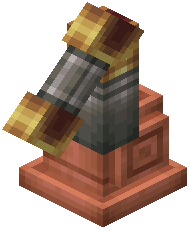 Steam Engines generate rotational force when supplied with heat, water, and sufficient boiler space.
- Place a Steam Engine on a
 Fluid Tank.
 - Click the engine with a
 Shaft to create the kinetic output connection.
 - The minimal setup requires four Fluid Tanks.
- With enough heat, water, and boiler space, Steam Engines will generate rotational force.
- Blaze Burners can be used to increase the power output.
- Higher power levels demand more water, a larger size, and more heat.
- The current power level of the boiler can be checked using
 Engineer's Goggles.
 - For every additional power level, an extra engine can output at full capacity. For example, at level 4, four engines can operate at full capacity.
Monitoring Kinetic Information
To effectively manage rotational force, you can monitor kinetic information:
Stressometer
The 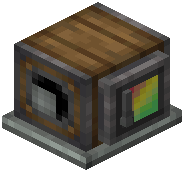 Stressometer displays the current stress capacity of the attached kinetic network.
- When wearing Engineer's Goggles, more detailed information from the gauge becomes visible.
- Comparators can emit analog Redstone signals based on the Stressometer's measurements.
Speedometer
The 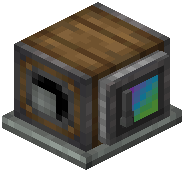 Speedometer displays the current speed of attached components.
- Wearing Engineer's Goggles provides more detailed information from the gauge.
- Comparators can emit analog Redstone signals relative to the Speedometer's measurements.
Covers the mod’s in-game guide topics: Generating Rotational Force using Windmill Bearings Generating Rotational Force using Water Wheels Generating Rotational Force using Large Water Wheels Setting up Steam Engines Monitoring Kinetic information using the Stressometer Monitoring Kinetic information using the Speedometer