
Setting Up the Mob Grinder in Draconic Evolution
The 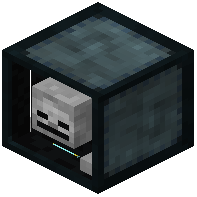 Mob Grinder in Draconic Evolution is an automated mob-slaughtering machine that instantly kills entities within an adjustable kill zone while generating player-kill drops. Unlike standard fall-damage traps or environmental hazard pits, this powered unit simulates genuine player strikes. Installing it into mob spawning structures allows players to automate the collection of rare mob heads, blaze rods, and wither skeleton skulls without manual swinging.
Crafting the Mob Grinder
Constructing the machine requires mid-tier draconic components and martial weaponry on a crafting table:
- Place four
 Iron Ingot items in the four outer corners of the crafting grid.
 - Place one
 Draconium Ingot in the top-middle slot.
 - Place two
 Diamond Sword weapons in the middle-left and middle-right slots, flanking one
  Wyvern Energy Controller in the center.
 - Place one
 Player Head (or vanilla mob skull) in the bottom-middle slot.
Integrating a mob skull and twin diamond swords imbues the mechanism with player-kill simulation properties, unlocking access to rare drop tables that automated environmental hazards cannot trigger.
Power Supply and Kill Zone Configuration
Activating the grinder requires supplying standard Forge Energy and aligning its targeted kill perimeter:
- Operating power can be supplied by connecting energy conduits or Draconic Evolution energy crystals to any face of the block, offering total flexibility in farm piping layouts.
- Right-click the block to open its configuration menu.
- The lethal coverage is adjusted using a unified Area of Effect (AOE) expansion setting, scaling the uniform reach of the scanning zone outward into your mob catchment chamber.
- Toggle the visual boundary box to project a clear colored frame into the world, confirming that the lethal field covers the entire mob collection floor without extending outside containment walls.
- Redstone control toggles inside the interface allow you to deactivate the machine when holding pens become full or during maintenance checks.
Safety Filtering and Built-In Loot Handling
Operating the grinder incorporates automated collection features and robust entity protection:
- Player damage is disabled by default, ensuring safety if someone accidentally steps into the operational perimeter.
- The machine interface features an integrated entity filter, allowing players to whitelist or blacklist specific mob types, preserving friendly villagers, tamed animals, or specialized creatures.
- Defeated mobs drop their loot directly into the grinder's internal systems. The unit automatically gathers item drops and ejects them directly into adjacent chests or inventories.
- Experience points are absorbed directly into an internal XP buffer, allowing seamless integration with experience conduits and fluid collectors without needing loose item hoppers or collection plates.