
Automated Gun Turrets in Immersive Engineering
guide
Automated gun turrets in Immersive Engineering provide motorized perimeter defense against hostile entities using revolving ballistic munitions, targeting optics, and redstone logic. Setting up these mechanical sentries protects industrial compounds from dangerous night incursions without requiring constant player supervision.
Crafting the Gun and Chemthrower Turrets
Fabricating automated defense emplacements requires assembling specialized weapon frames, targeting sensors, and rotating machinery on a crafting table:
- The standard Gun Turret is constructed using six specialized parts. Place a
 Precision Scope in the top center slot, a
 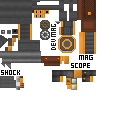 Revolver in the middle center slot, an
  Advanced Electronic Component in the middle right slot, an
  Extended Magazine in the bottom left slot, a
 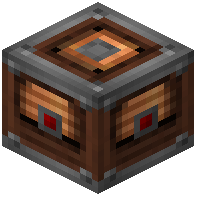 Turntable in the bottom center slot, and a
 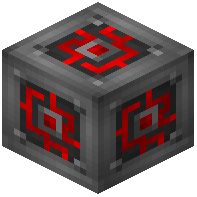 Redstone Engineering Block in the bottom right slot.
 - For fluid-based crowd suppression, the Chemthrower Turret swaps projectile components for liquid projectors. It uses a Precision Scope at the top center, a handheld
 Chemical Thrower in the center, an Advanced Electronic Component on the middle right, a
  Metal Barrel on the bottom left, a Turntable on the bottom center, and a Redstone Engineering Block on the bottom right.
Powering and Activating Turret Systems
Every turret base incorporates integrated electrical and control contacts:
- Connect low-voltage, medium-voltage, or high-voltage wiring to the energy terminals on the turret's mounting pedestal to keep its internal targeting servos energized.
- By default, turrets require an active redstone signal to engage targets. Sneaking and right-clicking the block with an
 Engineer's Screwdriver toggles this logic, allowing sentries to operate continuously when redstone signals are omitted.
 - Placement locks the turret to the deploying engineer, preventing unauthorized players from removing or altering defense settings in multiplayer environments.
Configuring Target Filters and Player Permissions
Accessing the station's user interface allows precise threat customization:
- Right-clicking the unit opens its targeting computer, presenting multiple tracking options and a custom name registry.
- Sentries can be configured with blacklists or whitelists, letting you exclude friendly players, tamed animals, and specific entity tags while focusing fire solely on hostile threats.
- For chemical installations, an integrated pilot flame button determines whether flammable liquids are ignited upon spraying or deployed as raw fluids.
Loading Cartridges and Fluid Fuels
Sustained combat requires regular munition delivery to the rear and underside feed ports:
- The gun turret holds a full stack of ammunition in its internal magazine. You can feed cartridges like armor-piercing rounds directly through conveyor belts or item hoppers connected to the base ports.
- Spent cartridge casings can be automatically ejected through dedicated discharge settings in the control interface.
- Chemical turrets accept fluid pipes connected to the base or rear, pumping liquids like flammable fuels for barrier denial or water for firefighting operations.
 Electronic Component