
Configuring Pickup, Compacting Upgrades, and Packing Tape in Sophisticated Storage
Automating item collection, compacting bulk farm yields, and safely relocating loaded containers in Sophisticated Storage relies on specialized utility modules and packing supplies. While basic storage chests hold loose stacks, adding the  Pickup Upgrade vacuums up loose items, the
  Compacting Upgrade compresses bulk resources into blocks, and
  Packing Tape allows fully loaded containers to be transported without spilling their contents. Mastering these modules streamlines storage logistics across farms and quarries.
Crafting and Configuring the Pickup Upgrade
The Pickup Upgrade allows chests, barrels, and shulker boxes to draw loose item entities from the surrounding environment into their internal storage:
- Craft a standard Pickup Upgrade on a crafting grid by placing one
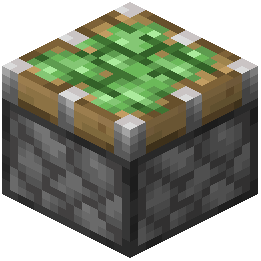 Sticky Piston in the top-middle slot, two wooden planks flanking an
  Upgrade Base in the center row, and three
  Redstone Dust along the bottom row.
 - Upgrading to the
 Advanced Pickup Upgrade uses an upgrade next-tier recipe: combine one Pickup Upgrade with
  Diamond,
  Gold Ingot, and Redstone Dust on a crafting table.
 - Insert the upgrade into any available upgrade slot on the left edge of the container GUI.
- When installed, the standard module vacuums loose item entities that come into direct contact or collision with the container block.
- The Advanced Pickup Upgrade introduces customizable pickup settings and precise whitelist and blacklist filtering, enabling containers to draw in designated materials while ignoring unwanted debris.
Automating 2x2 and 3x3 Compacting
Storage containers that receive high-volume materials like iron nuggets, redstone, or wheat can automatically compress them into condensed blocks:
- Craft a Compacting Upgrade using four pistons, two iron ingots, one Upgrade Base, and two redstone dust arranged around the grid.
- Upgrade to the
 Advanced Compacting Upgrade by combining the base module with Diamond, Gold Ingot, and Redstone Dust on a crafting table.
 - When installed, the standard Compacting Upgrade compresses materials using two-by-two recipes, converting inputs like sand into sandstone or small clusters into compact items.
- Handling three-by-three compacting recipes -- such as compacting iron nuggets into iron ingots or ingots into mineral blocks -- requires the Advanced Compacting Upgrade.
- Advanced compacting also allows players to lock specific slots and configure custom filter rules, preventing automated systems from crafting unwanted blocks when loose ingots or gems are required.
Relocating Loaded Containers with Packing Tape
Moving large storage blocks without losing installed upgrades or dumping hundreds of items on the floor requires sealing the container first:
- Craft Packing Tape on a crafting table by combining one
 Slimeball and one
  Paper in a shapeless recipe.
 - Hold the tape and right-click any placed Chest, Barrel, or Storage container to seal its inventory and installed upgrade modules.
- Break the taped container using the appropriate tool. The block drops as a single packed item with its full contents and upgrade settings preserved.
- Placing the packed container down at its new location automatically unpacks it, restoring immediate access to all stored items.
 Shulker Box